
Dashboard overview
Welcome to AliveIt! 👋 Once you sign in, you'll land on your dashboard. Pick what you'd like to create from the center of the page or from the sidebar, and you're on your way.
[Screenshot: dashboard home]
Navigation sidebar
The sidebar gets you anywhere in a click. Click a section to expand it.
[Screenshot: sidebar with numbered callouts]
- AliveIt logo takes you back to the dashboard home.
- Create AR is where the magic happens ✨ Choose Image, upload your picture and video, and your customers can scan a ready-made AR experience.
- Self-serve QR code lets your customers add their own photo or video after they scan. Choose an empty QR code or a QR code with image.
- Your store is everything about your storefront in the AliveIt app: store information, products and services, orders and requests, reviews, messaging, and advertising.
- Account settings is where you'll find your account details, billing and payments, referral program, and plan.
- Help & resources opens the AliveIt Academy, packed with tips on creating and selling AR products.
- Activation history shows every AR activation you've created.
Good to know: some features depend on your plan. You'll still see them in the menu, so you know what's available. To unlock more, go to Account settings → My plan.
Your account panel
Your account panel lives in the top right corner. It shows your name and current plan at a glance.
[Screenshot: account panel]
Click your profile icon to open a menu with quick access to your account settings and the Log out button.
[Screenshot: profile menu]
Your credits
Your current credit balance is always visible in the account panel, so you know exactly how much you have left before you create.
Running low? Hover over the panel and click Add credits. Choose the amount you need and pay securely by card. Your new credits show up right away.
[Screenshot: Add credits panel]
Good to know: adding credits is available on paid plans only. On the free plan? Upgrade in Account settings → My plan to add credits anytime.
После регистрации и авторизации в сервисе на открывшейся главной странице можно выбрать, какой продукт Вы хотите создать в центральной части страницы или в боковой панели.
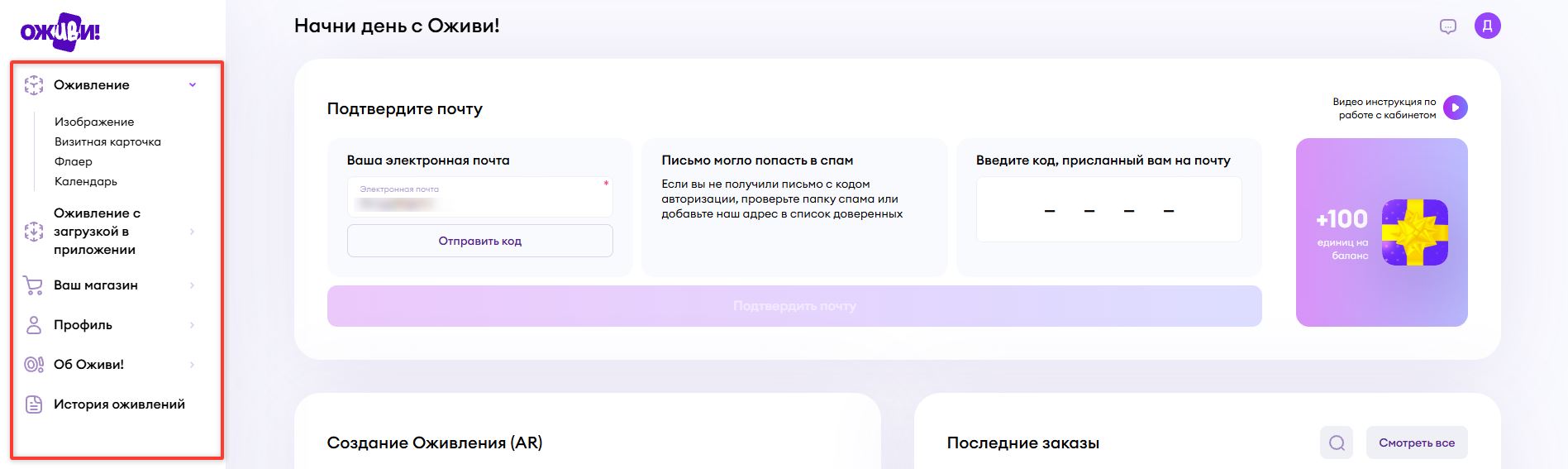
Панель навигации
Панель навигации позволит вам быстро перейти на нужную страницу.
-
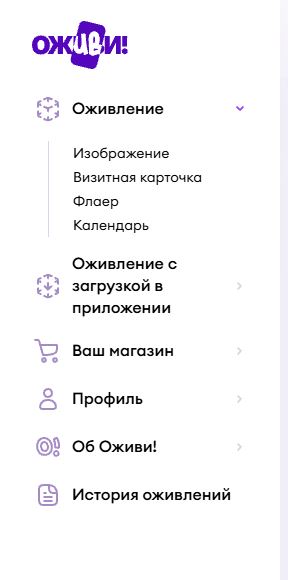
Иконка AliveIt вернет вас на главную страницу
- Все ваши созданные заказы можно найти, перейдя по кнопке Activation History.
- В раскрывающемся списке Профиль можно найти список всех пополнений баланса, информацию об аккаунте и информацию о реферальной программе.
- Кнопка Help & Resources приведет вас в базу знаний AliveIt, в которой собраны полезные статьи. Если вы сейчас это читаете, значит уже их нашли.
- В раскрывающемся списке Your Store можно найти информацию о своем магазине на платформе AliveIt, ваши товары и услуги, заявки на покупку ваших товаров от ваших клиентов на исполнение каких-либо оживающих товаров. Заявку можно создать через ваш Профиль в приложении AliveIt. А так же Отзывы и рекламные уведомления.
Информация об аккаунте
В верхней боковой панели (справа) так же доступна информация вашего аккаунта:
- Имя
- Тариф
- Баланс
- Кнопка пополнения баланса (при наведении курсором на панель она разворачивается и становится доступна кнопка пополнения)

Также в верхней боковой панели расположена кнопка логаута (выхода из личного кабинета).