
Set up your store
Your store is free advertising for your business, right inside the AliveIt app. When customers scan one of your QR codes, they can open your store, see your work, leave a review, or order again.
Good to know: customers can view your store only in the installed AliveIt app, not in the browser.
How customers see your store
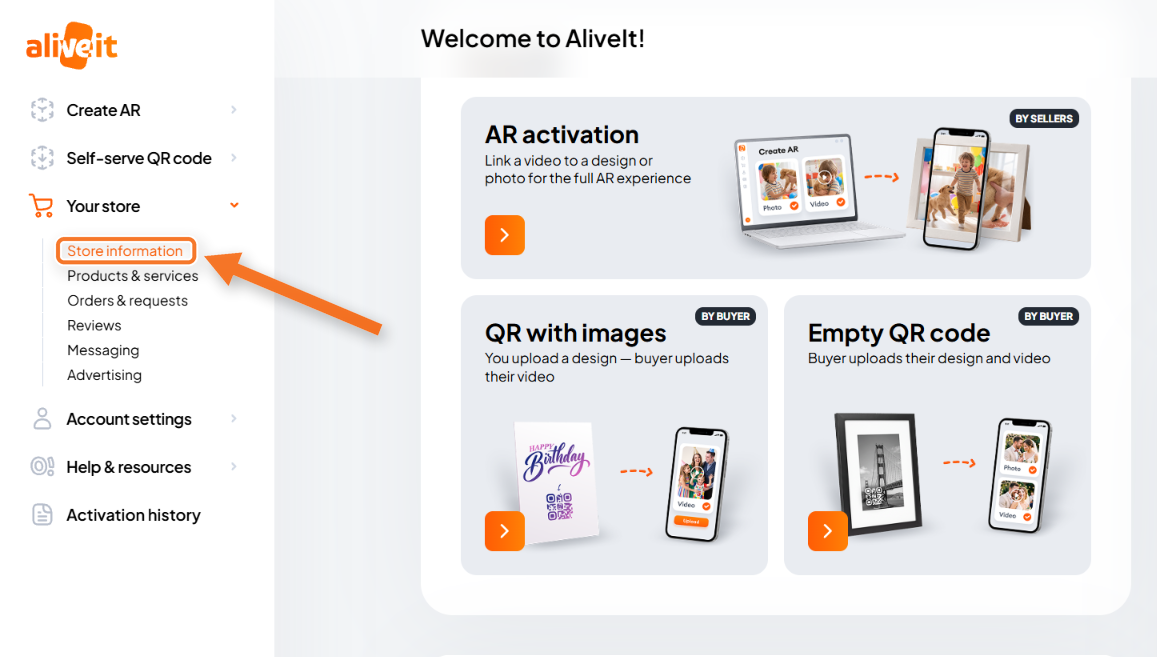
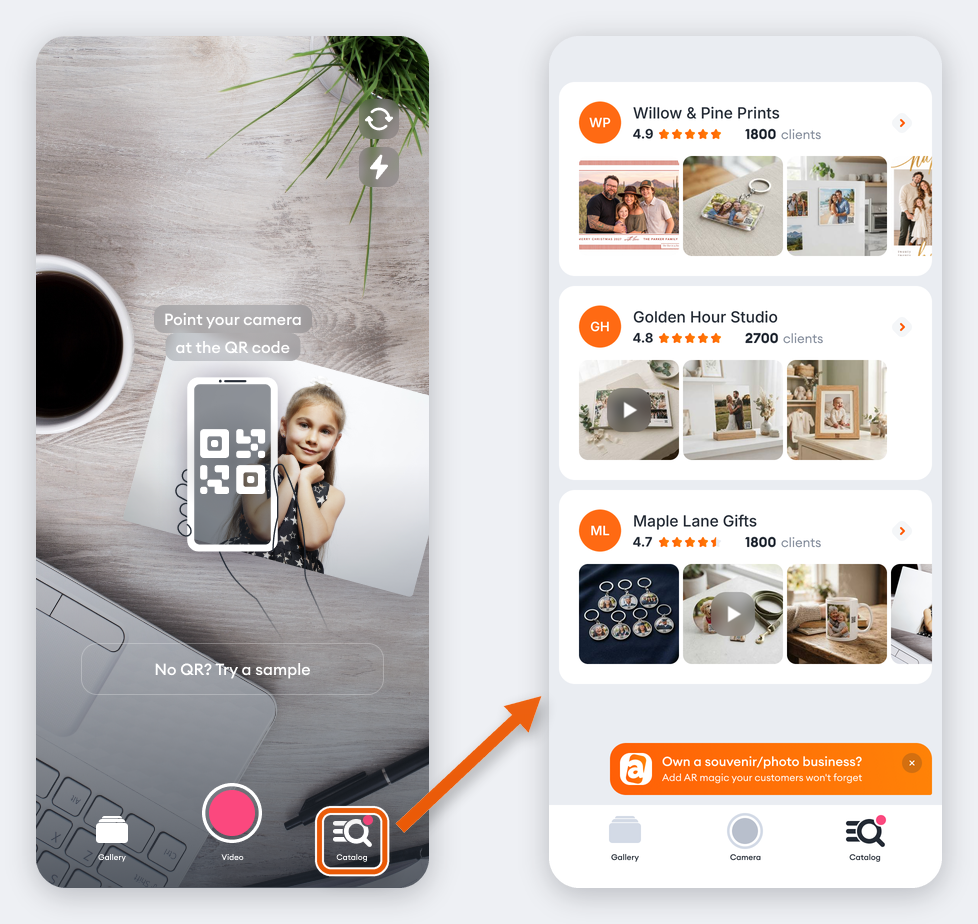
In the app, customers tap Catalog to see the stores of every business whose QR codes they've scanned on that phone. Tapping your store opens your business details and the products and services you offer.
Set up your store
In the sidebar, go to Your store → Store information and fill in four sections. Fields marked with a red asterisk are required.
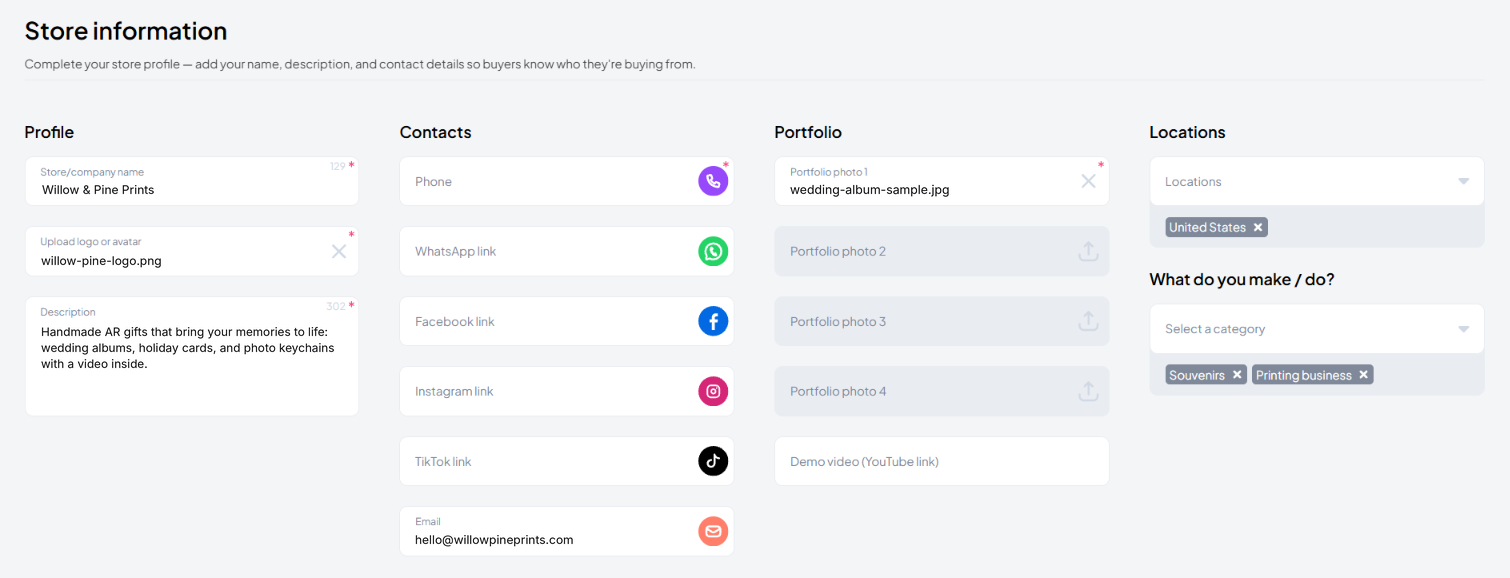
- Profile: your store or company name, logo or avatar, and a short description of what you do.
- Contacts: phone, email, and links to WhatsApp, Facebook, Instagram, and TikTok. Phone and email are filled in from your sign-up. Use different ones for orders? Update them here.
- Portfolio: up to 4 photos of your work and a demo video (YouTube link). Photos show up horizontally in the app, so upload horizontal ones. Vertical photos may get cropped.
- Locations and category: where you work and what you make or do, so customers know what to expect.
When you're done, click Save.
Promote your store
Your store is free extra advertising for your products and services. After customers scan your QR code in the AliveIt app, they can open Catalog, look through your profile and the AR samples you’ve added, leave a review of their order, or order from you again. To learn how to handle the orders that come in, see Manage orders and requests.
When customers tap your store in Catalog, they see your business details and the list of products and services you offer:
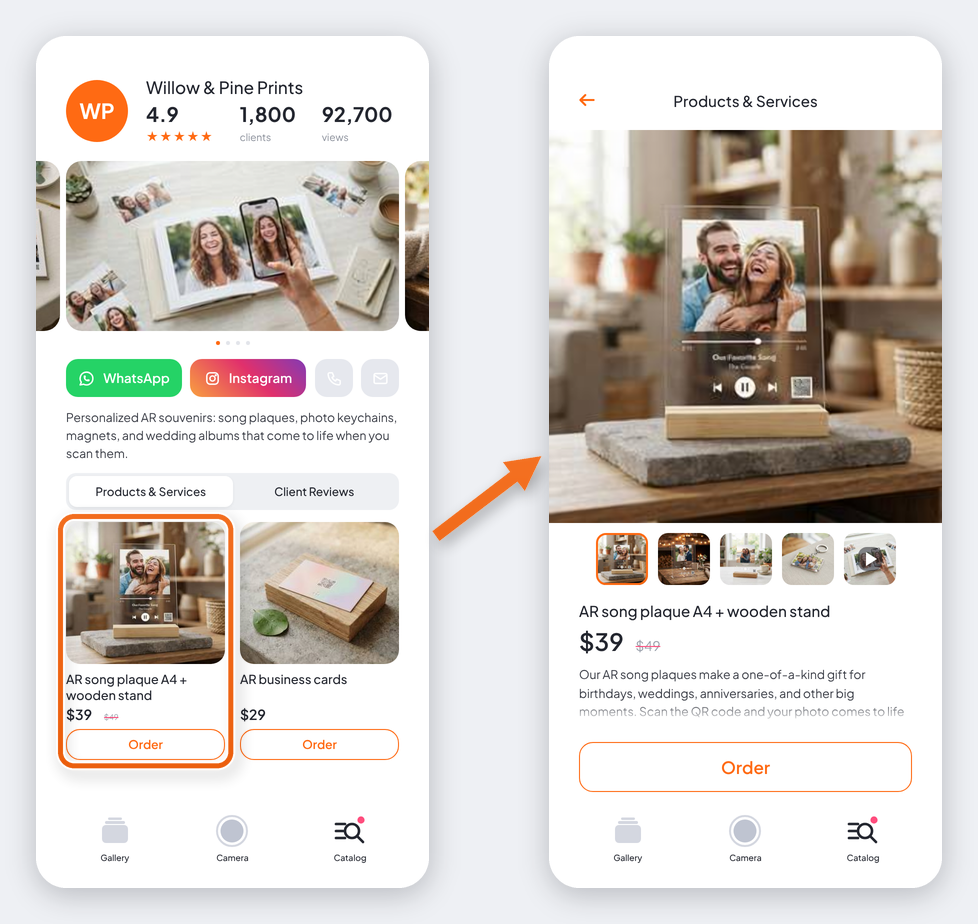
Customers see the products and services you add in Your store → Products & services in your dashboard. Add them there, and they appear in your store in the app. See Add your products and services.
Important: customers can view your store only in the AliveIt app installed on their phone. It isn’t available when they view AR in the browser without the app.
Want customers to see your store while they watch your AR? Set up a pop-up notification in Your store → Advertising. See Promote your store with notifications.