Add your products and services
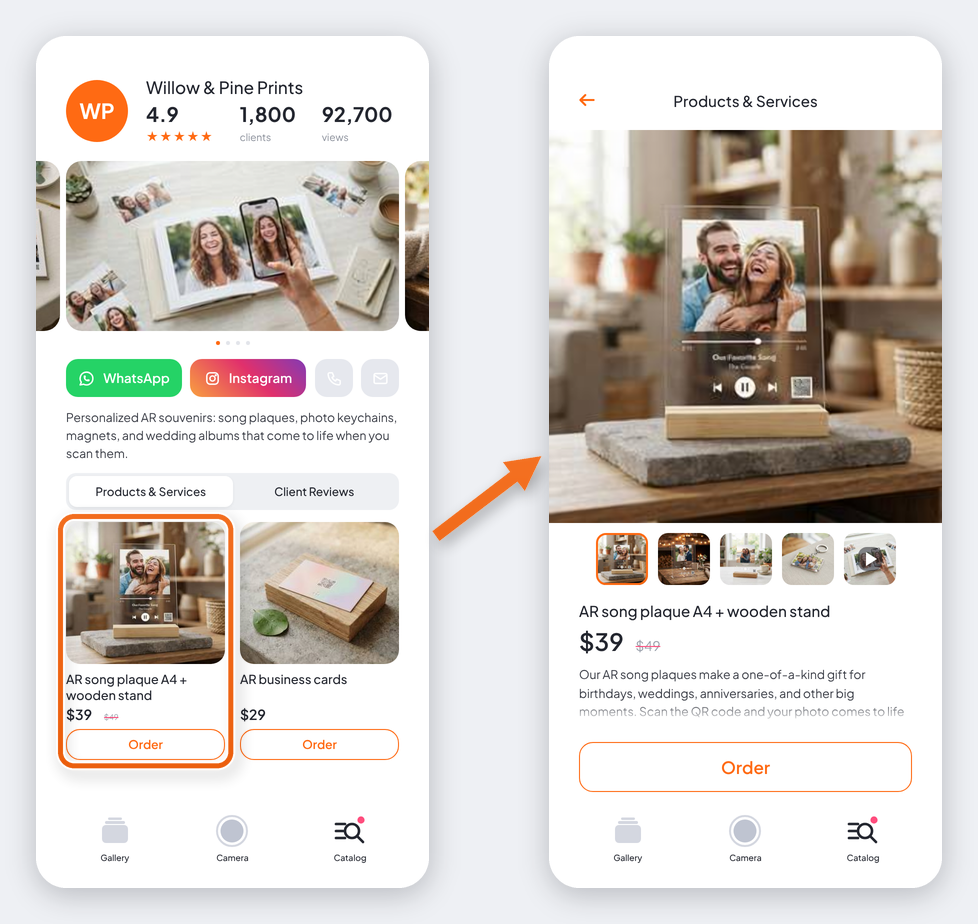
Show off what you sell, right in the AliveIt app. Customers who scan your QR codes can browse your products and services, then send you an order request or buy on your marketplace.
Before you start: set up your store first. Products and services aren't available without a store profile. See Set up your store.
What you can add
- Samples of your work, like an AR photo album or keychain. Customers can send you a request to make one for them.
- Products from your marketplace or website, like your Etsy listing. Customers tap through to the listing and buy it there.
Add a product or service
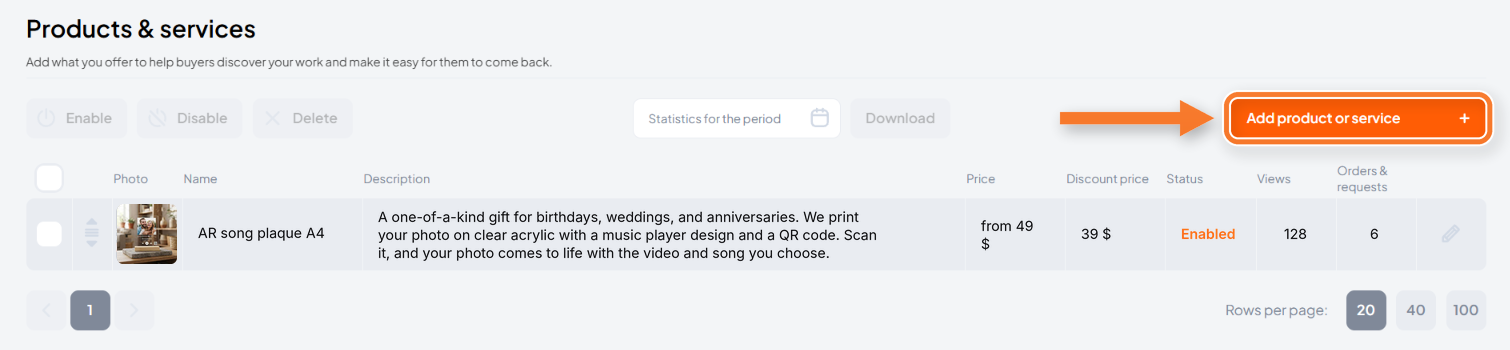
- In the sidebar, go to Your store → Products & services.
- Click Add product or service.
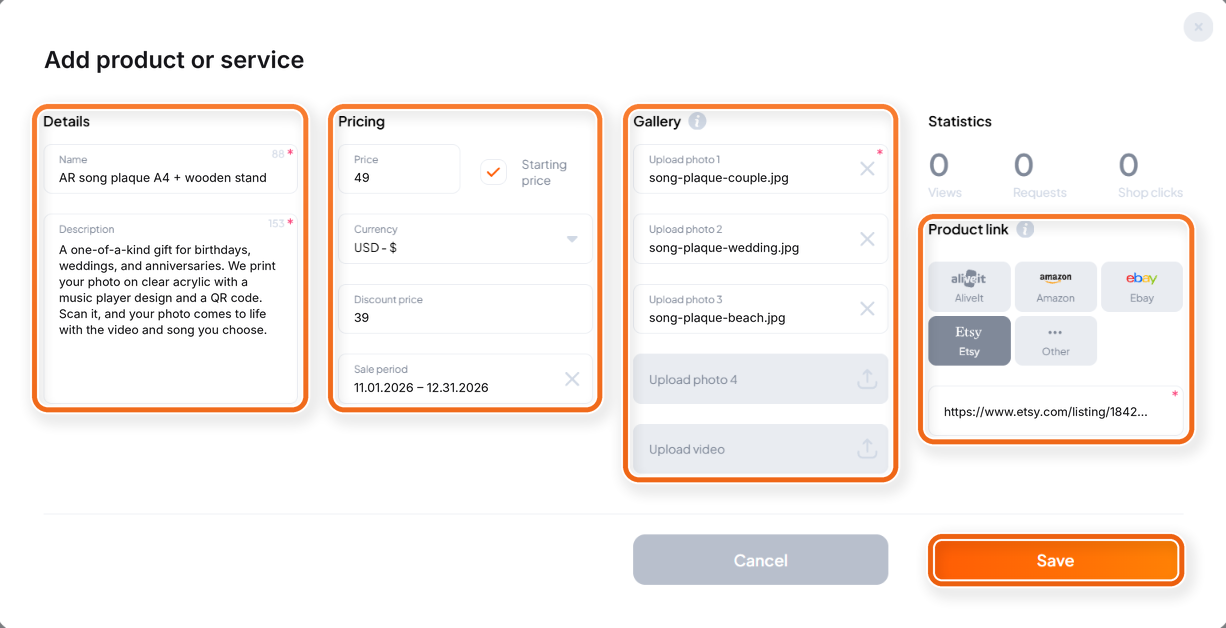
- Fill in Details, Pricing, and Gallery.
- Under Product link, choose where customers buy it:
- AliveIt (default): customers send you order requests, which you'll find in Orders & requests. Best for samples of your work.
- Amazon, Ebay, Etsy, or Other: paste your product page in Marketplace link. Best for products you already sell online.
- Click Save.
Tips for a great listing
- Required fields are marked with an asterisk. You can't save without them.
- Price: pick a Currency too. Not sure of the exact price? Enter the lowest one and check Starting price.
- Discount price: set the Sale period too. Without it, the discount won't show in the app.
- Photos: add up to 4. The app crops them to a square, so upload square photos to keep everything in view.
- Video: add one with Upload video to show your product in action.
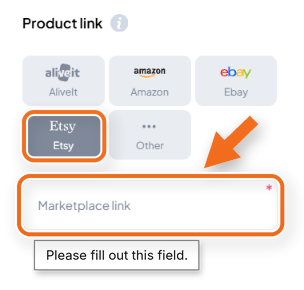
Marketplace link: selling on Amazon, Ebay, Etsy, or your own site? After you pick it under Product link, paste the link to your product page in Marketplace link, so customers can tap through and buy it there.
Don't like how
Don't like how a product looks in the app? Turn it off with Disable or replace the photos anytime.
Track how your products do
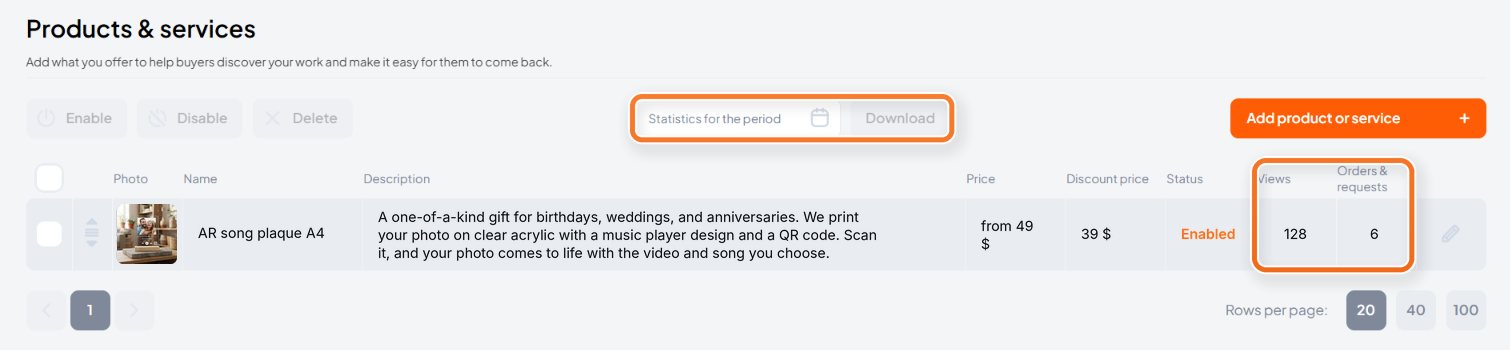
Your list shows views and requests for every product. Open a product to see all its Statistics:
- Views: how many times customers opened the product in the app. Each device counts once.
- Requests: order requests from the app. Counted only for products linked to AliveIt.
- Shop clicks: taps through to your marketplace. Counted only for marketplace products, every tap, even if the customer didn't buy.
Need stats for a specific time? Pick dates in Statistics for the period and click Download.