
How to change your video
AliveIt brings printed images to life with augmented reality (AR). Point your phone camera at a picture, and a video plays right on top of it ✨
Uploaded the wrong video? No worries, you can change it in the AliveIt app.
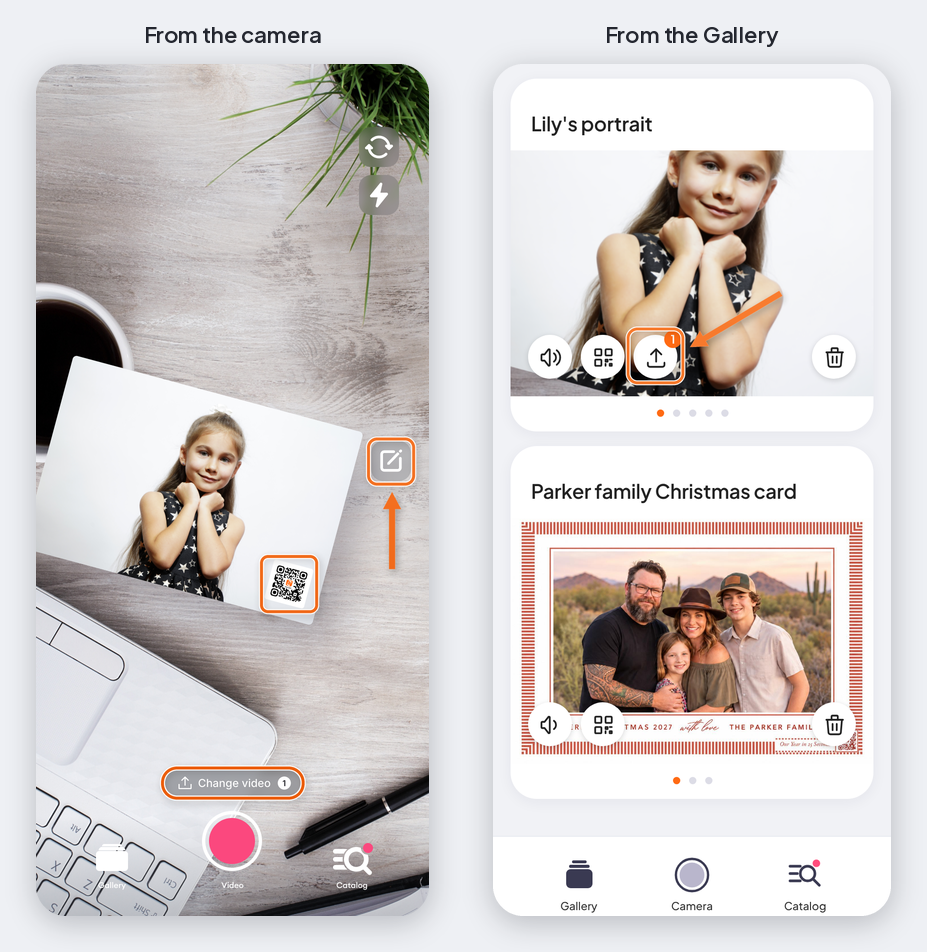
From the camera
Scan your QR code and tap Change video next to the camera button. You'll see how many changes and how much time you have left.
From your Gallery
Open Gallery in the app and tap the change video icon on your video. No need to scan anything.
Good to know: you can change your video up to 4 times. The exact number and how long you have to make changes are set by the seller. Out of changes? Contact the seller you bought the product from.